llms.txt vs robots.txt: What is the Difference?
Last updated: June 2026 | Technical SEO & AI Crawling Guide
Quick Answer: While
robots.txtis an access control protocol telling search engines what they cannot crawl, andsitemap.xmlprovides a full URL inventory for standard indexing,llms.txtis a curated Markdown summary designed specifically to feed structured, high-signal context to Large Language Models and AI agents.
The Fundamental Roles: Permission vs. Prioritization
As AI models and conversational search engines continue to reshape how users find information, understanding the relationship between robots.txt and llms.txt is essential for webmasters and SEO professionals. They serve different roles, and one cannot replace the other.
robots.txt is a long-standing web standard. It serves as a set of rules for crawlers. It dictates which agents are allowed to visit which folders on your server. If a bot is blocked in robots.txt, it is legally and technically forbidden from crawling those pages.
llms.txt, on the other hand, is a newer community standard designed specifically for AI ingestion and Retrieval-Augmented Generation (RAG) pipelines. It does not establish crawler permissions. Instead, it provides a curated, token-friendly Markdown index of your site's most important pages, complete with summaries, so that AI models can quickly digest what matters most.
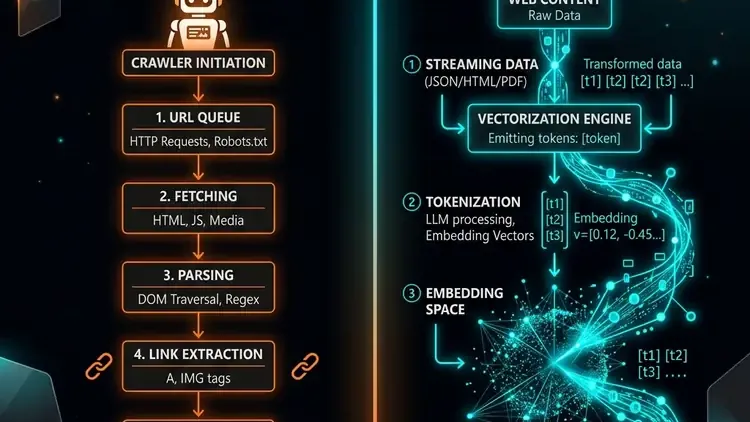
robots.txt vs llms.txt: Side-by-Side Comparison
To understand how they work together, it helps to compare them across key technical dimensions:
| Dimension | robots.txt | sitemap.xml | llms.txt |
|---|---|---|---|
| Target Audience | All crawlers (Search engines & AI bots) | Search engine indexes (Google, Bing) | LLMs, AI agents & RAG engines |
| File Format | Plain Text (Allow/Disallow rules) | XML Document | Markdown Document |
| Primary Function | Access control & crawl permissions | URL inventory & priority mapping | Curated context summaries & RAG index |
| Root Location | yourdomain.com/robots.txt | yourdomain.com/sitemap.xml | yourdomain.com/llms.txt |
Why robots.txt is the Ultimate Gatekeeper
A common misconception in AI SEO is that placing links inside your llms.txt file will force AI crawlers to read them, regardless of robots.txt. This is false.
Compliant AI web scrapers — such as OpenAI's GPTBot, Anthropic's ClaudeBot, and Perplexity's crawler — first fetch your robots.txt file. If your robots.txt contains:
User-agent: GPTBot
Disallow: /
Then GPTBot will immediately stop. It will not fetch your llms.txt, nor will it crawl any pages listed within it. Therefore, if you wish to benefit from AI citations and conversational search visibility, you must ensure that these user agents are allowed to access your site in your robots.txt config.
Not sure if your AI file has markdown syntax errors? Test it instantly using our llms.txt checker.
Check Your Compliance ⚡How They Work Together: The AI SEO Funnel
Think of robots.txt and llms.txt as two stages of the same visibility funnel:
- Phase 1: Permission (robots.txt) — You allow AI bots to access your site, greenlighting them to crawl and read pages.
- Phase 2: Discovery (sitemap.xml) — The bots discover all the URLs and raw pages on your domain.
- Phase 3: Curation (llms.txt) — You tell the AI bots exactly which 10 to 20 pages are the most authoritative, providing quick summaries so they don't waste tokens on boilerplate headers, footers, and code.
Best Practices for Co-existence
To make sure your configuration is fully optimized for 2026 AI crawlers, ensure you follow these guidelines:
- Keep your robots.txt clean and explicitly allow AI agents (GPTBot, ClaudeBot, PerplexityBot, Google-Extended) if you want to rank in their answer engines.
- Reference your sitemap inside your robots.txt file so crawlers can discover your entire canonical URL index.
- Keep your llms.txt file lightweight (under 50KB) and focus strictly on high-signal pages. Do not turn it into a dump of every single page on your site.
Frequently Asked Questions
How is llms.txt different from robots.txt and sitemap.xml?▼
They perform three distinct jobs. `robots.txt` acts as an access control protocol telling crawlers what paths they cannot fetch. `sitemap.xml` provides a complete URL inventory for standard indexing. `llms.txt` acts as a curated Markdown summary designed specifically to feed structured context to Large Language Models and AI agents.
Does Google Lighthouse check for an llms.txt file?▼
Yes. Google Chrome Developers integrated an llms.txt check into Google Lighthouse under the Agentic Browsing category. While currently marked as optional, verifying your file prevents Lighthouse 404 fetch flags and ensures your site is ready for AI agent discovery.
What is the difference between llms.txt and llms-full.txt?▼
`llms.txt` is a lightweight, curated index containing category links and one-line summaries for agents that fetch pages selectively. `llms-full.txt` embeds your full plaintext content inline into one large file, designed for RAG pipelines and high-context AI ingestion to avoid network round-trips.
What are the strict syntax rules required for llms.txt?▼
According to the v1.7.0 spec, the file must be hosted at the root domain (`https://example.com/llms.txt`) served as `text/plain; charset=utf-8`. It must contain exactly one `# H1 Title` at the very top, followed immediately by a `> Blockquote` site summary, and format all category links strictly as: `- [Title](Absolute-URL): Description`.
Ready to verify your site's agentic readiness? Scroll up to run the free llms.txt checker.
Validate Your Setup
Want to make sure your llms.txt is properly formatted and accessible to AI models?